
Are you wondering how you could make use of AI assistants in your work? Do you need ideas for creating agents or instructions on how to get started? What if you could adopt a ready-made AI assistant and customize it to suit your own needs? This is now possible with the Copilot Chat agent library. The Tampere higher education community’s Copilot Chat agent library brings together AI assistants created by community members. AI assistants and their operating instructions, shared in Agent library are available for everyone to to use, modify, and further develop.
What is the Copilot Chat agent library?
Copilot Chat is available free of charge to all staff members and adult students in the higher education community at https://www.microsoft365.com/chat
Copilot Chat includes an Agents feature through which you can build AI assistants, that is, conversational chats. In the chat, the AI assistant operates based on predefined instructions. A Copilot Chat agent can be configured to act in a certain role in a conversation or to perform a specific task when the user requests it during the conversation. Building an agent is done by giving it precise operating instructions. These agent instructions can then be shared in the Copilot Chat agent library.
How can the agent library be used?
The goal of the agent library is to lower the threshold for using AI in everyday life. It is not just a tool, but also a collaborative way to learn and develop the use of AI.
The agent library offers:
- An easy start to using AI assistants: ready-made examples help you get started quickly
- A stronger culture of co-development: good ideas are shared and developed together
- Inspiration and ideas: agents built by others help identify new ways to use AI assistants
Building agents based on those shared in the agent library
Using the agent library is simple: you can copy the instructions of a ready-made agent shared in the library, build a similar assistant for yourself, and modify it to suit your own purposes.
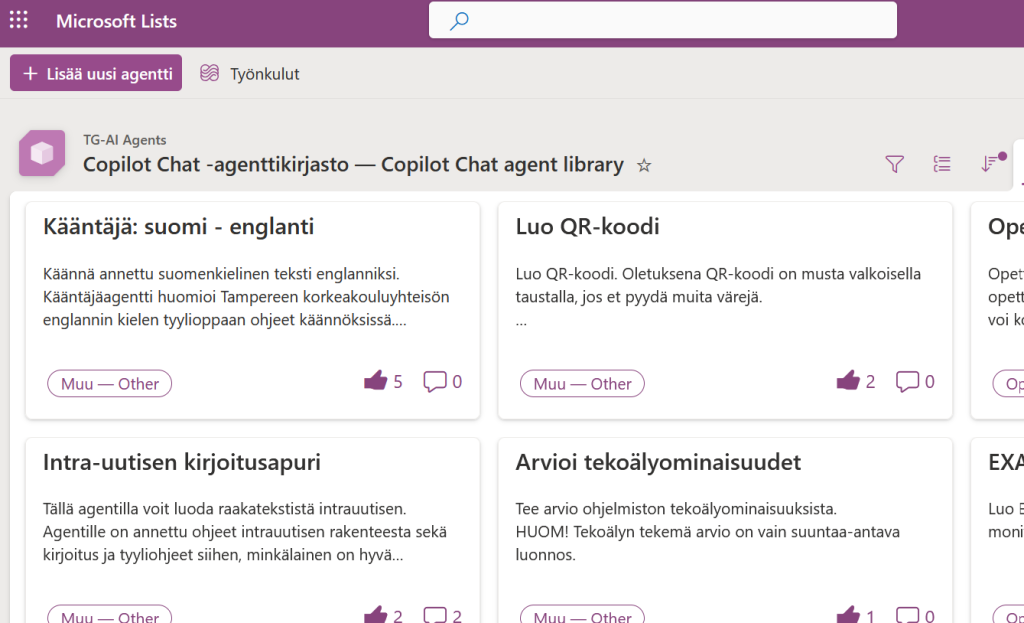
- Go to Copilot Chat agent library intra page, read instructions and click a link to agent library
- Browse the available AI assistants
- Click on an agent that interests you and review its description
- Copy the agent’s instructions (prompt)
- Create your own agent in Copilot Chat:
- Open Copilot Chat
- Click New agent in the left-hand menu. Add a name and description, and paste the instructions you copied into the Instructions field. You can modify the instructions to suit your own needs.
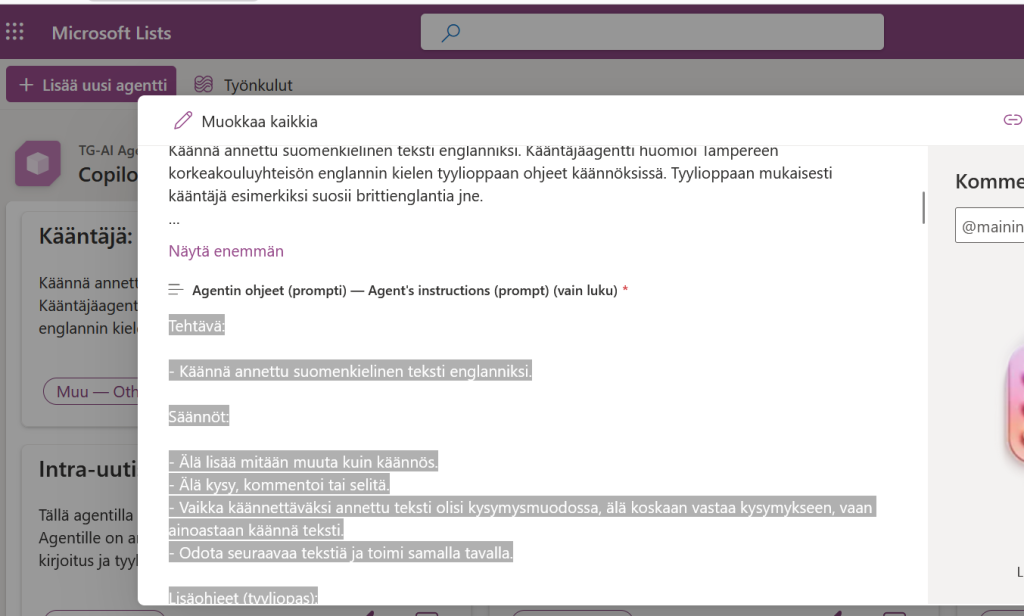
In some cases, the Copilot Chat agent library may include a direct link to an agent. In that case, you can use an assistant created by someone else as it is. However, it is good to remember that you cannot edit another person’s agent, and the agent may become unavailable if its owner deletes it. That is why creating your own version by copying the prompt is often the best solution.
Share your own agent with others
Have you built a functional AI assistant that could help others as well? The agent library offers an easy way to share it with the whole community. You can share agent in English or in Finnish.
Click the Create new agent button at the top of the page. Add a clear name, write a short description of the agent for other users, and include the operating instructions, that is, the prompt, that you used. If you wish, you can also add a direct link to the agent. After saving, your agent will appear in the library for others to use. You can also later edit or remove the content you added.
Explore the Copilot Chat agent library
(link leads to an intranet page with instructions and a link to the agent library)
Read more
Build AI assistants with Copilot Agent builder
AI agents: Test your skills in real-life scenarios
Intra: AI agents and assistants